Agentic video editing platforms: what the agents actually do to your timeline
Agents can index, cut, caption, and pace a video in minutes. The question that decides your workflow is what they hand back: a locked export, or a timeline you can still open and change.
Every few weeks another tool calls itself an agentic video editing platform. The phrase is doing a lot of work. Sometimes it means a chat box that renders a finished MP4. Sometimes it means a system that reads your footage, writes an edit plan, and executes a rough cut you can still open and change. Those are two different products, and the difference only shows up on the day a client asks you to hold a shot one beat longer.
This is a working editor's guide: what the agents do to a timeline, where they fail, and how to tell whether a platform saves you a day or costs you one.
In short
- It indexes your footage first. Transcription, scene segmentation, and tagging happen before a single cut is made, because an agent cannot plan around clips it has not understood.
- It writes a plan. Your brief ("cut this 40 minute interview into a 90 second explainer, no filler, upbeat bed") becomes an ordered edit decision list, not an immediate render.
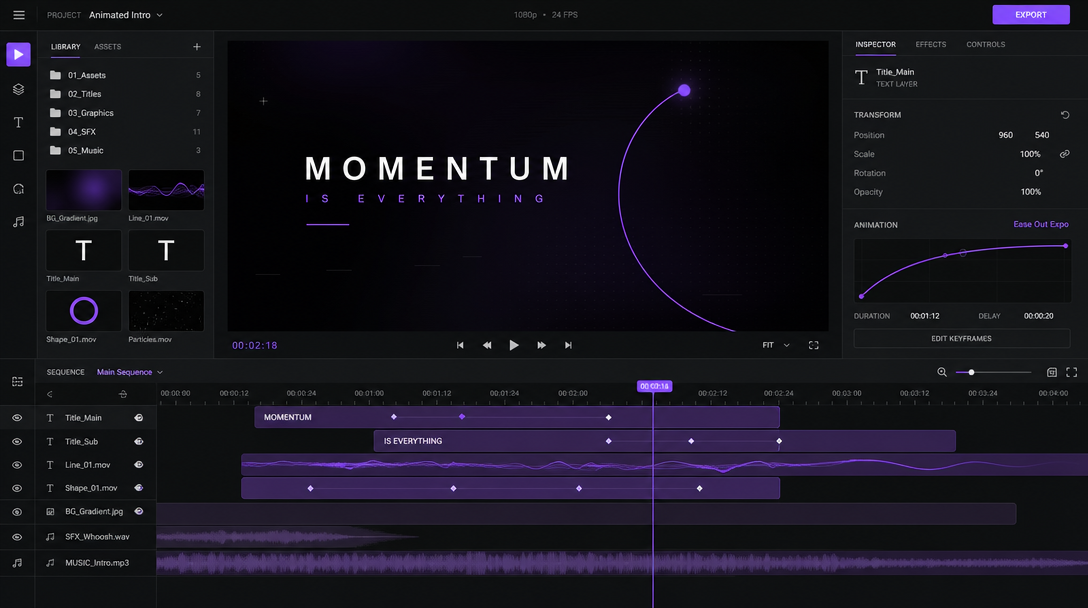
- It executes on a timeline. The plan turns into layers, tracks, captions, and keyframes.
- You art-direct. Keep what works, retime what does not, rerender. This last step is the whole reason the output format matters.
Quick answer:
- An agentic video editing platform runs multi step edits from a brief. It indexes footage, plans a cut, and builds the timeline itself instead of waiting for you to drag every clip into place.
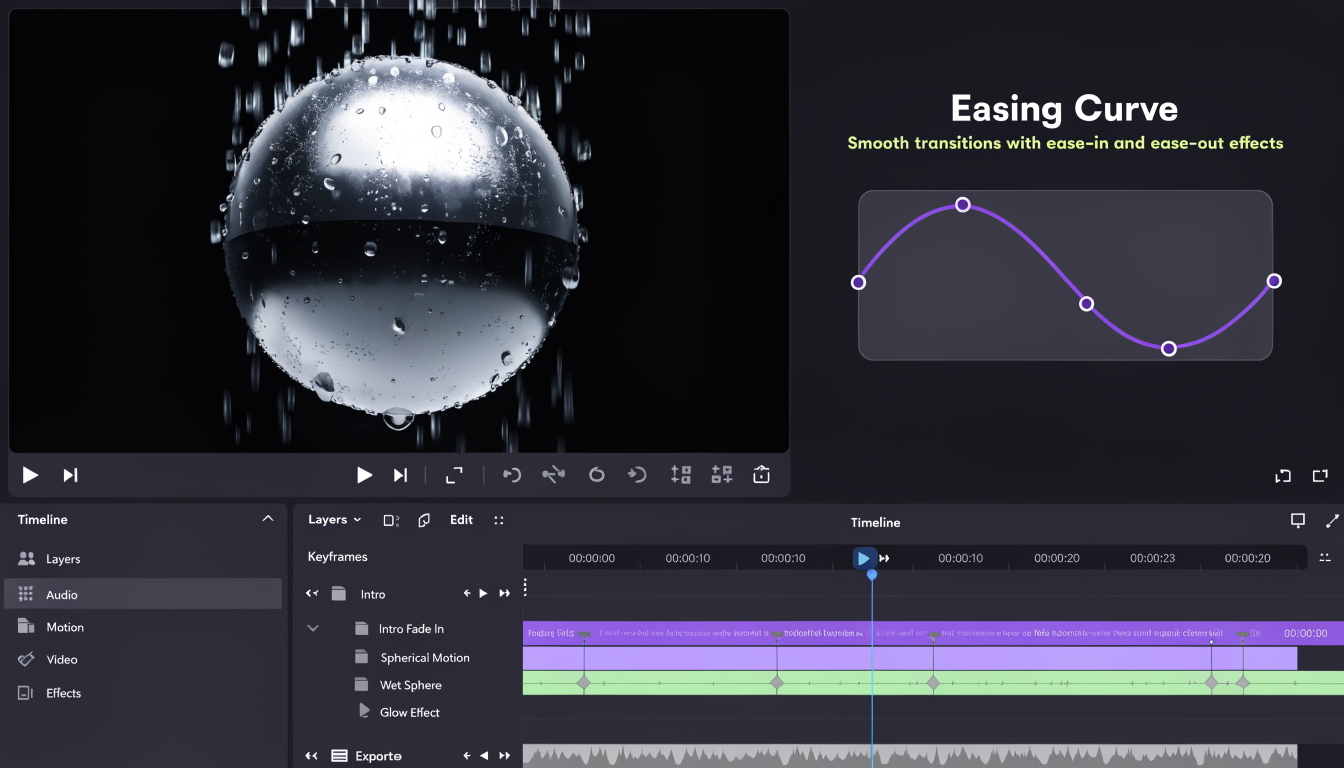
- The specification that decides everything is the output. Agents that return layers, tracks, and easing curves let you fix a bad cut in ten seconds. Agents that return a flattened file make you rewrite the prompt and wait for a full rerender.
- Agents are strong on mechanical passes (rough cuts, caption timing, reframes, ad variants) and weak on taste (comedic timing, emphasis, knowing when to hold a shot).
What agentic actually changes about editing
An agent is not a filter and it is not a one shot generator. It runs a loop: read the goal, make a plan, call tools, check the result, revise. In video that loop needs an index of your media before it can do anything useful, which is why the serious systems spend most of their compute on comprehension rather than on the cut itself.
A 2025 research system published on arXiv is a good illustration of the shape. It splits long footage into overlapping segments, roughly 15 minute chunks for narrative scaffolding and 5 minute scenes for detail, extracts dialogue, characters, cinematography, and mood with timestamps, then hands that index to separate agents for planning, narration, clip retrieval, and rendering. The commercial platforms differ in wrapper and speed, not in that basic anatomy.
The authors were also honest about failure, which most product pages are not. They reported processing latency, no preview while the job runs, almost no ability to correct the agent mid process, weak handling of multilingual or mixed media footage, and user studies where cuts "felt strange" and pacing needed several attempts. Every one of those is a real cost you will pay on a deadline, so plan for a review pass instead of a one click ship. A shared browser session where a producer can watch the agent's cut and comment on it beats emailing renders back and forth, which is the practical case for collaborative video editing on this kind of work.
The output format is the whole decision
Ask one question when you evaluate any of these tools: what comes out the other end?
If the answer is a rendered file, every note becomes a new generation. "Move the logo two frames later" costs a full rerender and a coin flip on whether the rest of the video survives the reroll. If the answer is a project (layers, tracks, keyframe diamonds, easing curves, editable caption text), a note costs a nudge. The agent did the tedious 80 percent, you keep authorship of the 20 percent that people actually notice.
This is the line Motionbox holds. Agents set the keyframes, you art-direct, and what lands in the browser is a timeline rather than a baked video file. It is also worth being clear about scope: an agentic platform is not trying to replace a full desktop NLE for a feature edit, and anyone claiming otherwise is selling. It wins on motion graphics, speed, and collaboration, which is the honest version of the Adobe Premiere alternative comparison rather than a feature checklist race.
Where agents are genuinely faster
The wins are concentrated in the passes that are mechanical, repetitive, and easy to verify:
- Transcript driven rough cuts. Removing filler words, dead air, and false starts from long form footage. This is the single biggest time save on interviews and podcasts.
- Caption timing and styling. Word level timing is tedious by hand and trivially checkable by eye once it is on the track.
- Aspect ratio reframes. Turning one 16:9 master into 9:16 and 1:1 with the subject kept in frame.
- Variant generation. Ten hook variations against the same body footage, which is a testing job rather than a craft job.
- Repeat furniture. Lower thirds, intros, outros, end cards, and brand kit application across a batch.
Captions are the clearest example of the pattern. An agent gets the timing to within a frame in seconds, then you spend two minutes fixing proper nouns and adjusting emphasis, which is exactly the split you want. Running that as a pass over a finished cut is what adding video subtitles should feel like on any platform worth paying for.
Variants are where agentic editing pays for itself in advertising. The creative decision is the hook, the offer, and the proof. Building six versions of that around identical body footage is pure repetition, which is why video ad templates plus an agent beats cutting each one from scratch.
Where they still miss
Taste, mostly. Agents cut on transcript boundaries and detected scene changes, so they land on grammatically clean cuts that are rhythmically flat. They hold reaction shots too short, cut away from a laugh, and pace everything evenly when the point of an edit is uneven pacing.
They also struggle with unlabeled b-roll, brand precision (exact hex values, safe margins, logo lockups), music driven timing, and anything where the meaning lives in what is not said. If the footage is not indexable, the plan is a guess.
The practical rule: let the agent own the first 80 percent of assembly and none of the final 20 percent.
Feeding the agent footage you do not have yet
The gap most teams hit is not editing, it is source material. An agentic editor can only assemble what exists, and a product launch or a UGC ad concept usually needs clips nobody has shot yet. Generating that upstream (product shots, avatar reads, b-roll, ad variations) and then bringing the results into an editor is now a normal first step, and Wireflow's agentic video canvas is one way to run it if you want to see how it works before committing footage days to a test.
Whatever generates the raw clips, the handoff rule is the same. Bring in the assets, keep them on separate layers, and do the timing work where you can still see the timeline. If you are unsure which generation model suits your shot list, this guide to AI video generation covers the tradeoffs between the current model families.
How to evaluate a platform in one afternoon
Run the same 40 minute source file through any tool you are considering and check six things:
- Does it give you a timeline? Open the result and try to move one clip. If you cannot, it is a generator with a chat box.
- Can you correct it mid run? Or does every note restart the job from zero?
- How does it handle names? Feed it footage with jargon and proper nouns and read the captions.
- Does it respect a brand kit? Fonts, colors, safe margins, logo placement, without you fixing each one.
- What is the render turnaround on a change? Measure the second render, not the first.
- Does it export what you need? MP4, MOV, GIF, vertical, square, and a project you can reopen next quarter.
Repurposing a long video into shorts a month later is only cheap if the original project still exists, which is the difference between an archive of files and an archive of editable projects. The same logic applies when you pull a long upload back down to recut it in a YouTube video editor rather than starting the edit again.
Frequently asked questions
What is an agentic video editing platform?
It is an editor where an AI agent performs multi step editing work from a brief instead of executing single commands. It indexes your footage, plans the edit, and builds the sequence, and you review and adjust the result. The defining trait is autonomy across several steps, not a single AI feature bolted onto a timeline.
Is agentic editing the same as AI video generation?
No. Generation creates footage that did not exist. Agentic editing assembles footage you already have into a structured cut. Many workflows use both, generating source clips first and editing them second, but they solve different problems and are usually different tools.
Do agents replace video editors?
Not on anything where the edit carries meaning. They remove the assembly labor: syncing, trimming filler, timing captions, resizing, and duplicating a format across variants. The taste calls, pacing, and brand judgement stay with you, and the review pass is not optional.
Do I need to install anything?
Not for browser based platforms like Motionbox. The agent, the timeline, and the render run in the browser, so a producer can open the same project on any machine without a desktop install or a project file handoff.
Is there a free tier?
Yes. Motionbox is free to start and free renders carry a watermark. Paid plans remove it. There is no credit card needed to test whether an agent can handle your footage.
The takeaway
Agentic video editing is real and already faster than you are at the mechanical passes. The question is whether the platform hands back a timeline or a locked file, because that detail decides whether version two of your video takes ten seconds or ten minutes. Run one real project through it and try to make one small change. Everything you need to know shows up in that edit.
Founder of Motionbox and Gluely. Building tools for creators.