Code to Video: When to Render From Code and When to Stay on the Timeline
Code to video means the composition lives in a script instead of a timeline, and a renderer computes every frame from it. Here is how the workflow actually runs, which jobs it wins, and what still belongs in an editor.
You already know the timeline. Layers, tracks, keyframes, a render button. Code to video asks a different question: what if the edit was a file you could version, diff, and re-run with new numbers? That is the whole idea. You describe the video in a script, a JSON scene, or an API call, and a renderer computes every frame from that description. Nobody drags a clip.
For a motion designer this is not a threat to the timeline. It is a second substrate that is very good at the exact jobs a timeline is bad at: fifty variants of the same ad with different prices, a weekly stats video that rebuilds itself from a spreadsheet, a code walkthrough where the syntax highlighting has to be pixel correct. The timeline stays where it belongs, on the shots that need taste.
In short
- Decide whether the video is repetitive and data driven (code wins) or one of a kind and feel driven (timeline wins).
- Pick a substrate: React with Remotion, TypeScript with Motion Canvas, Python with Manim, or a template API that takes JSON and returns an MP4.
- Build one composition with variables where the changing parts go: text, prices, colors, image URLs, duration.
- Render the batch from a CLI or CI job, one output per row of data.
- Bring the renders into a timeline editor for the human passes: captions, brand kit, crops, GIF and social exports.
Quick answer:
- Code to video means the composition lives in a script or a JSON scene, and a renderer computes every frame from it, so the same file can produce hundreds of clips with different data.
- The three practical routes are programmatic frameworks (Remotion, Motion Canvas, Manim), template APIs that accept a structured scene and return an MP4, and AI generation where a model makes the footage and code only orchestrates the request.
- Code is worth it when a video is repetitive, data driven, or needs to regenerate on a schedule. It is not worth it for a single hero edit where the value is in the taste of the cut.
What code to video actually means
Strip the marketing off it and the pattern is simple. A composition is a function. Feed it props, get back frames. Remotion compiles React components frame by frame into MP4. Motion Canvas does the same from TypeScript with an animation oriented API. Manim renders Python scene classes into math and diagram animations, which is why so many explainer channels use it. Template APIs sit one level higher: you POST a JSON scene with text, image URLs, and timings, and you get a finished file back.
The important consequence is that the video becomes data. It lives in git. Two versions can be diffed. A price change is a one line edit, not a re-export. A new locale is a new props object, not a new project file. If you have ever hand edited the same product video eleven times because eleven SKUs launched, that is the pain this solves.
The catch is equally simple. Code has no eyes. It will happily render a caption that overflows the safe area, a logo that collides with the subject, or an easing curve that feels mechanical because nobody looked at it. Everything a good editor notices in half a second, code has to be told explicitly.
When code beats a timeline, and when it does not
Use code when the video is a template with holes in it. Personalized outreach clips, weekly metric recaps, localized ad variants, changelog videos, and code walkthroughs are all shapes where the structure is fixed and only the contents move. Rendering fifty of those from one composition takes minutes. Building fifty of them by hand takes a week and introduces fifty chances to typo a number.
Use a timeline when the video is one of a kind and the value is in judgment. Brand films, launch trailers, anything with real footage, anything where the cut has to breathe. You cannot write a script that decides a beat should land two frames later because it feels better. That is a human call, and it is faster to make in an editor than in a props file. Pulling several takes together into one sequence is a merge videos job, not a rendering job.
There is a middle case that is more common than either extreme: the structure is code, the finish is human. A rendered base clip goes into a timeline where somebody adds the caption pass, checks the safe areas on a 9:16 crop, swaps the brand colors, and exports the GIF version. That hybrid is where most teams land after the novelty wears off.
The five decisions that make or break a code rendered video
Before you write a composition, settle these. They are the ones that cause re-renders later.
- Frame rate and duration model. Code frameworks think in frames, not seconds. Decide whether durations come from the data (a caption's word count) or are fixed per scene. Mixing the two produces clips that end mid word.
- Where the text can overflow. Every dynamic string needs a max length and a defined behavior past it: shrink, wrap, or truncate. This single decision prevents most of the ugly renders.
- Aspect ratio strategy. Either build one composition per ratio, or build one with a safe area that all ratios respect. Do not retrofit 9:16 onto a 16:9 layout after the fact.
- Asset resolution. Image and font loading has to be deterministic. A font that arrives late renders one frame with a fallback typeface and it will be the frame in the thumbnail.
- Where audio comes from. Music beds, voiceover, and sound design are usually easier to attach after the render than to sequence in code.
The finishing pass code does not do well
Rendered output is raw material, not a deliverable. Three passes almost always happen after the renderer exits.
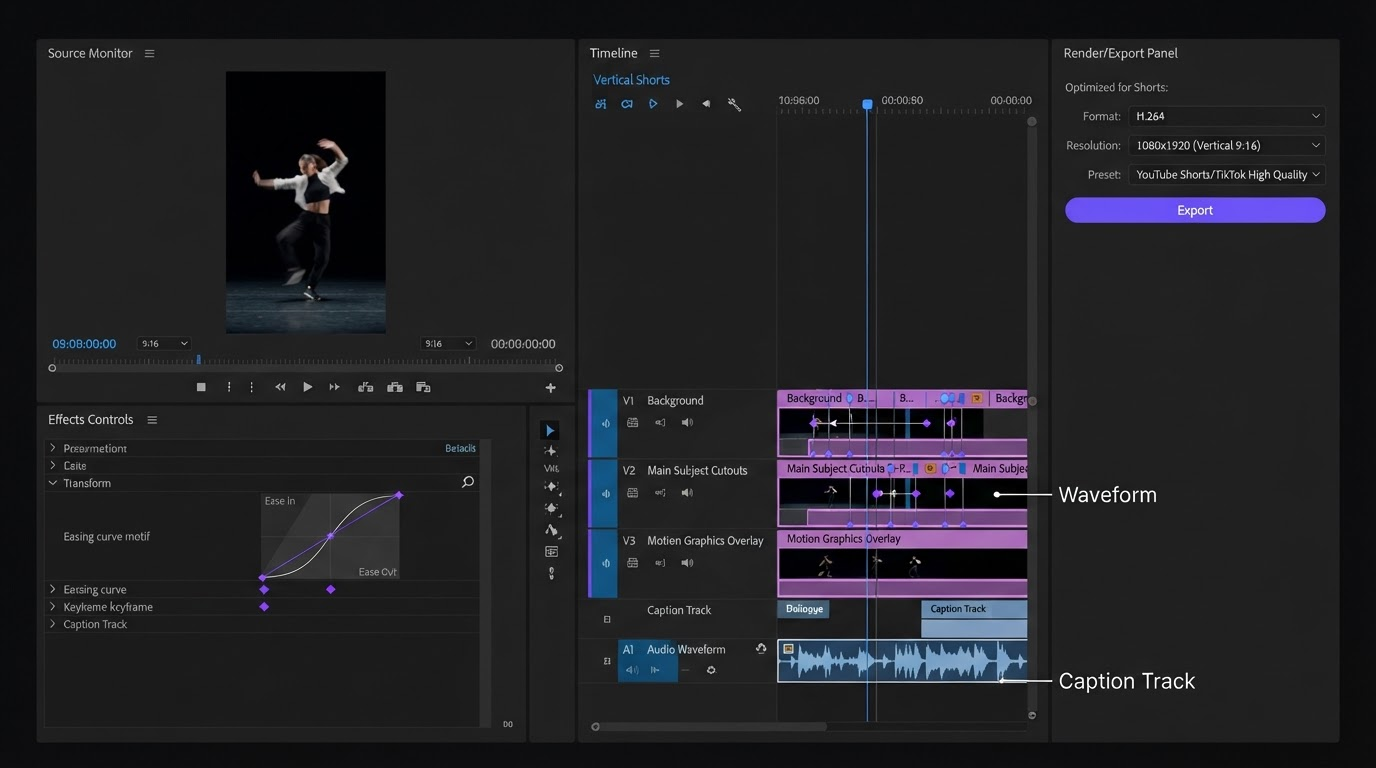
Captions are the first. Burned in captions are a per platform decision, and the placement rules differ between a feed video and a full screen short. Doing this against the actual waveform in an editor beats guessing timings in a props file, which is why adding video subtitles tends to stay a timeline step even in a code first pipeline.
The second is typography that reacts to the shot. A kinetic title placed by code sits where the code says. A title placed by an editor sits where the subject is not, which is a different thing. On product footage in particular, a text overlay pass is worth the two minutes.
The third is format spread. One render becomes a 16:9 upload, a 9:16 short, a square, and usually a looping GIF for docs or a changelog. Re-rendering every ratio from code is possible but slow. Cropping and re-exporting from a finished clip is faster and lets you check each frame with your eyes.
A workable pipeline you can build this week
Start narrow. Pick one repeating video you already make by hand and turn only that into a composition.
Write the composition with every changing value as a prop. Keep the props flat and boring: strings, numbers, URLs. Put your data in a CSV or a JSON array, one row per output. Render the batch from a CLI or a CI job so it can run without you. Name the outputs after the row key so you can trace a bad render back to its data.
For the generated footage or images a composition needs, an AI generation step usually sits upstream of the renderer rather than inside it, and the walkthrough at wireflow.ai covers how to wire that request so the assets arrive before the render job starts. Fetch them once, cache them, and pass URLs into your props.
Then take the output into an editor for the human pass. If more than one person touches the finish, doing that pass in a browser matters more than it sounds, because collaborative video editing removes the round of file handoffs that usually eats the time savings the renderer just gave you.
Frequently asked questions
Do I need to know React to do code to video?
No. React with Remotion is the most popular route because web developers already know it, but Motion Canvas uses plain TypeScript, Manim uses Python, and template APIs need nothing beyond the ability to POST JSON. Pick the one that matches a language you already write.
How long does a code rendered video take to produce?
The first composition is slow, usually a day or two, because you are building the template and finding the overflow cases. After that, each new variant is the time it takes to render, often under a minute for a short social clip. The economics only work if you plan to render many.
Can code to video replace a motion designer?
No, and the failure mode is obvious once you watch the output. Code executes the layout you specified, including the parts you specified badly. Timing that feels right, type that sits where the eye expects it, and restraint about how much moves at once are all judgment calls. Code scales a good design. It does not produce one.
What about AI video models, are those code to video?
Partly. When you call a model through an API and it returns footage, code is orchestrating the request, not computing the frames. That is useful for b-roll and for shots you cannot film, and it composes well with programmatic rendering: the model makes the raw clip, your composition places it, and the editor finishes it. A product video built this way often mixes generated footage, rendered overlays, and a manual caption pass.
How do I keep brand consistency across hundreds of renders?
Put colors, fonts, spacing, and logo placement in one shared config that every composition imports, and never inline a hex value in a scene file. Review the batch as a contact sheet of frames rather than watching every clip end to end.
Where to go from here
Code to video earns its keep on repetition. If you make the same video shape more than a handful of times, move the structure into a composition and let the renderer do the copies. Keep the taste where it belongs, in the finishing pass, where you can see the frame and move the title two pixels because it looks better there. The best pipelines are not fully automated. They are automated up to the point where judgment starts.
Founder of Motionbox and Gluely. Building tools for creators.