How to make YouTube Shorts with AI in 2026
AI can write the script, generate the footage, and read the voiceover. It still cannot decide what happens in the first second of your Short. Here is the workflow that uses AI where it saves real time and keeps the editing decisions with you.
Most AI Shorts guides stop at the generate button. You type a prompt, a model returns a vertical clip, and the article calls that a finished video. That is the easy half. The hard half is everything after: trimming to a hook that lands inside the first second, timing captions so they do not sit under the YouTube interface, cutting on motion instead of on sentence breaks, and exporting something the feed does not crush. This is the full run, script to upload, with the editing decisions written down.
In short
- Write the hook first. One line, spoken or shown, inside the first second.
- Get every source clip into 9:16 at 1080 by 1920 before you start cutting.
- Assemble on a timeline. Cut on motion. Keep the finished Short between 30 and 55 seconds.
- Burn captions inside the safe area and keyframe only the words that carry the point.
- Export H.264 MP4 at 1080 by 1920, disclose synthetic content on upload, then read retention and iterate.
Quick answer:
- Point AI at the slow, repeatable parts: script variants, source clips, voiceover, and a first pass caption transcript. Keep the cut, the caption timing, and the hook under your own hands.
- Target 30 to 55 seconds at 1080 by 1920. Shorts under 15 seconds usually end before a viewer has any reason to care.
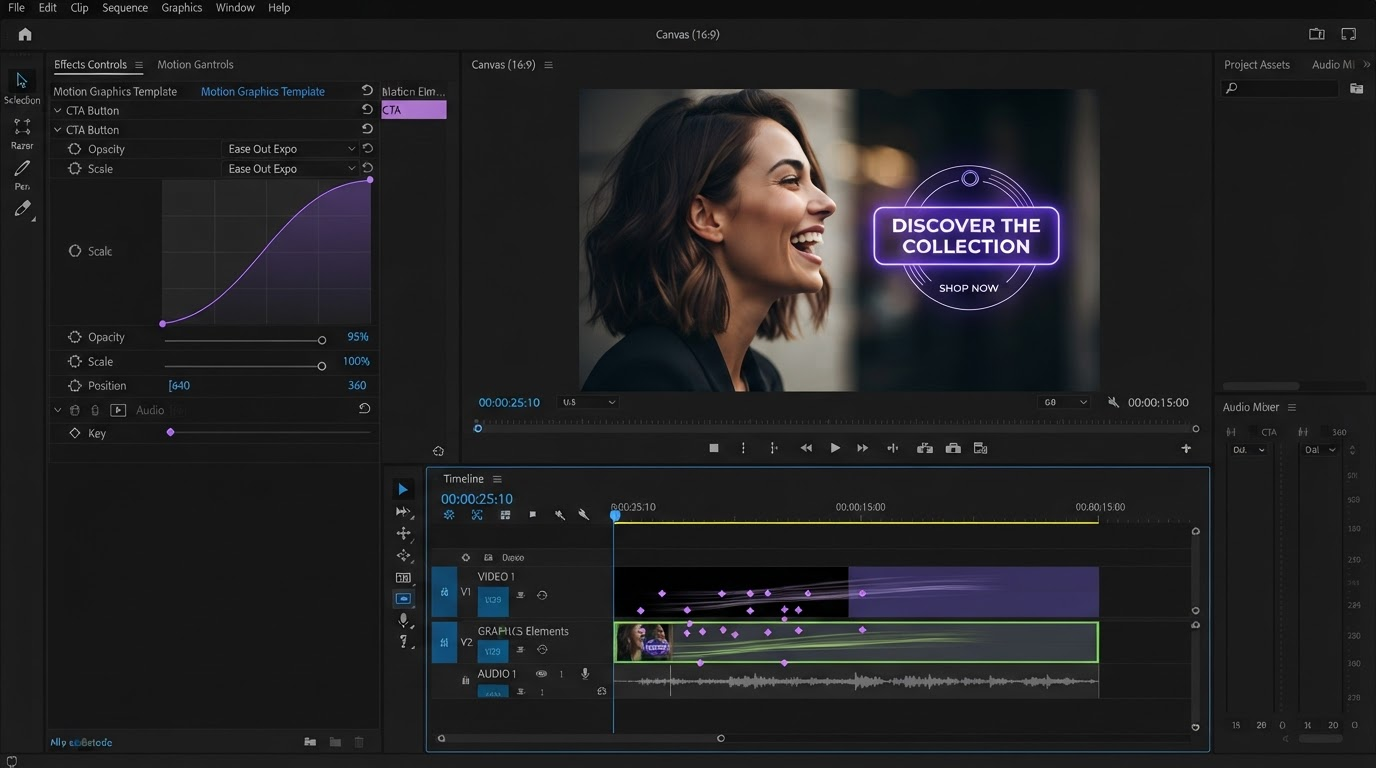
- Build in an editable timeline. A baked MP4 from a one shot generator leaves you nothing to fix when the retention graph drops at second three.
The hook is a shot, not a sentence
The Shorts feed gives you about one second of benefit of the doubt. In that second the viewer decides whether the moving image in front of them is worth a scroll stop. A voiceover reading "in this video I will show you" has already lost, because the sound is behind the picture.
So write the hook as a frame. Decide what is physically happening at 00:00. A hand entering the frame holding the product. A number already counting. A face mid-reaction. Then write the line that goes over it. If you generate footage, put that frame in the prompt as the first beat rather than hoping the model gets there by second four. Whatever motion the first 24 frames contain is your real hook, and it is usually worth swapping the opening shot instead of trusting a title card. The short-form templates in Motionbox show what an opening beat looks like when the movement starts on frame one.
Get the footage into 9:16 before you edit
Fixing aspect ratio at the end of an edit is how Shorts end up with letterboxed bars or a subject wandering out of frame. Do it first.
If the clip was generated vertical, you are done. If it came from a 16:9 recording, a screen capture, or a long form upload, you need a reframe pass, not a stretch. Pick the subject, crop to 1080 by 1920 around it, and keyframe the crop position if the subject moves across the original frame. That last part separates a reframed Short from a cropped one: a static center crop on a moving subject loses the face for half the clip. A crop and reframe pass you can keyframe handles the pan without a re-record.
While you are here, mark the safe area. YouTube draws the title, description, channel name, and the action column on top of your video, so keep anything you need read out of roughly the bottom 300 pixels and away from the right edge. Anything you place there is legible in your editor and invisible in the feed.
Where the clips come from: generate, repurpose, or shoot
This is the decision that sets your whole week, and it is worth comparing honestly rather than defaulting to whatever tool you already have open.
Shooting gives you the most authentic footage and costs the most time. Repurposing long form is the cheapest source if you already have an archive, and it is what most channels underuse. Generating is the option that changed most recently: current video models will hold a character and a lighting setup across several shots, which was the thing that made generated Shorts look broken a year ago. In-app text to video buttons are convenient but usually lock you to one model and one clip at a time, while a tool like Wireflow lets you turn prompts or reference images into vertical clips with Kling or Veo and queue a batch of variations before you open an editor at all. The tradeoff is real either way: the convenient button is faster for one clip, the canvas is faster for twenty.
Whichever source you pick, generated footage is raw material, not a deliverable. Treat a model output the way you would treat a take from a camera. Some of it is usable, some of it needs the first eight frames removed, and the good part is often two seconds long.
Cut on the timeline, not in the prompt
Re-prompting a model because the pacing feels off is slow and imprecise. Cutting is fast and exact.
The pattern that works for a 40 second Short is roughly this. Beat one, the hook shot, 1 to 2 seconds. Beat two, the setup, 4 to 6 seconds. Then three to five payload beats of 4 to 8 seconds each, one idea per beat. Then a close of 2 to 3 seconds that either loops back to the opening frame or states the takeaway. Cut on motion: land the edit on the frame where a hand lands, a head turns, or a graphic finishes settling, and the cut disappears. Cut on a pause in the voiceover instead and the viewer feels the seam.
Two habits pay for themselves. Make the last frame close enough to the first that a loop is not jarring, because looped watch time counts. And put every text element on its own layer with real keyframes rather than baking words into a generated clip, so a copy change costs one edit instead of one regeneration. A browser based video editor for YouTube assets keeps the project in a state where that change is a two minute job.
Captions that survive the Shorts interface
A large share of Shorts play with sound off or in a noisy room, so captions are not an accessibility afterthought, they are the script.
Auto transcription in 2026 is accurate enough for a first pass and not accurate enough to ship unread. Budget two minutes to fix proper nouns, product names, and numbers, which are the words auto captions get wrong and the words your Short is about. Then set the style: one to three words per card for fast talking cuts, a full line for slower explainer pacing, and a weight heavy enough to read at phone size. Keep the caption block in the vertical middle of the frame, because the bottom is where YouTube puts its own text.
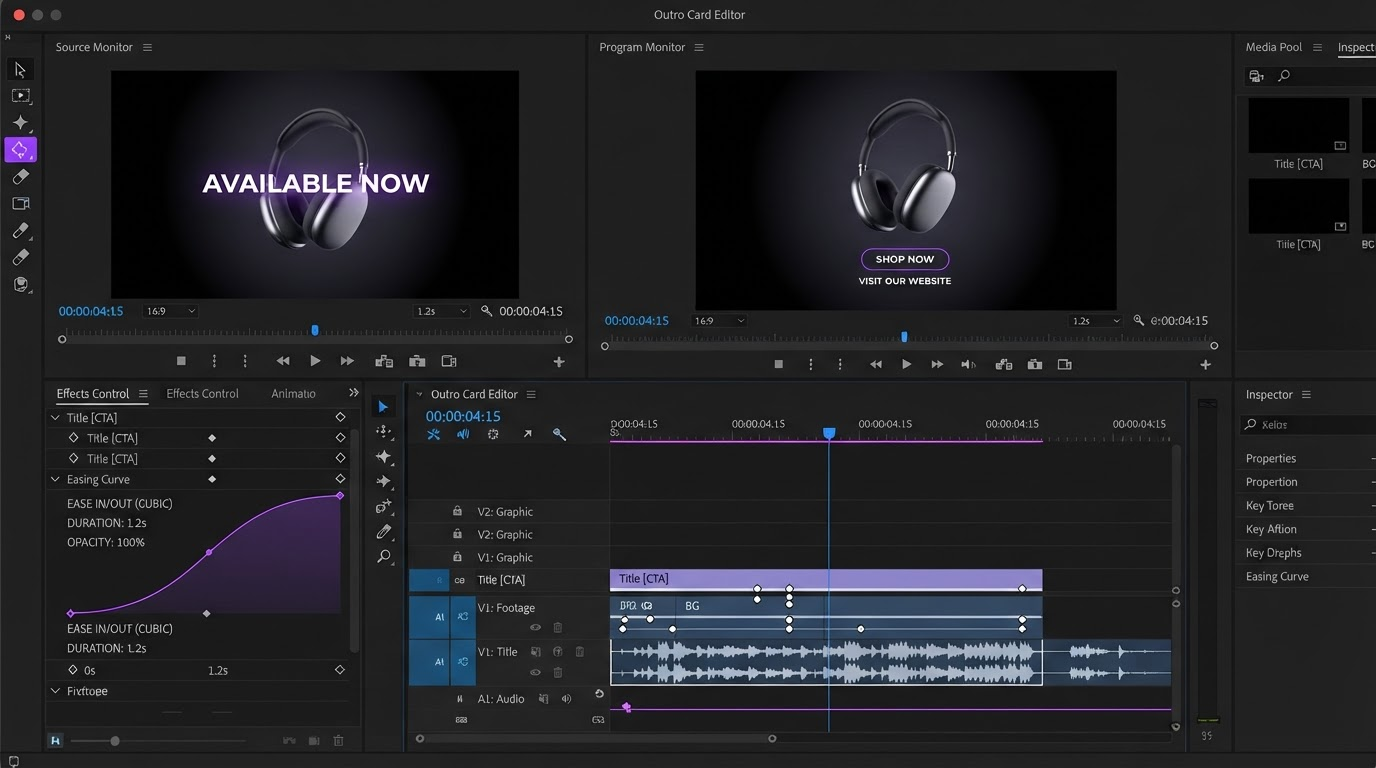
Resist animating every word. Pick the two or three words that carry the argument, give those a scale pop or a color change, and leave the rest steady. Constant motion on every caption reads as noise and pulls the eye off the picture. If you publish in more than one language, generating the subtitle pass and its translations from the same timeline beats re-cutting a second version.
Export, disclose, and read the numbers
Export H.264 MP4, 1080 by 1920, 30 or 60 frames per second, audio at 48 kHz. YouTube re-encodes everything, so a very high bitrate mostly buys you upload time, but going too low shows on gradients and motion blur. Keep the finished file under 3 minutes to stay in the Shorts feed.
On upload, answer the altered or synthetic content question honestly. If your Short uses a generated presenter, a voice clone, or footage of realistic events that did not happen, disclose it. The label costs far less in reach than an undisclosed synthetic upload can cost you, and the policy has only tightened over the past two years.
Then read the retention graph rather than the view count. A cliff in the first three seconds is a hook problem, so change the opening frame and re-post. A slow decay across the middle is a pacing problem, so shorten your beats. A flat graph with low views is a topic or title problem, and no edit fixes that. Our walkthrough of AI driven video effects covers the motion side of that iteration.
Frequently asked questions
How long should an AI YouTube Short be in 2026?
Between 30 and 55 seconds for most topics. Shorts can run up to 3 minutes, but the longer you go the more the retention curve punishes a weak middle. Under 15 seconds you rarely establish enough context for a viewer to care, unless the clip is a single visual gag.
Do I have to disclose that a Short was made with AI?
You have to disclose realistic altered or synthetic content, which includes generated presenters, voice clones, and depictions of events that did not happen. Stylized animation and obvious effects do not need the label. Answer the question at upload rather than hoping nobody notices.
Can AI write the script and the captions for me?
Yes for the draft, no for the final. Model written scripts are good at generating ten hook variants in a minute and bad at knowing which one is true about your product. Auto captions are fine as a starting transcript and reliably wrong on names and numbers. Use both as a first pass, then read them.
Is a generated clip enough on its own, or do I still need to edit?
You still need to edit. A single generated clip has no hook structure, no caption layer, and no loop point, and it cannot be adjusted without regenerating the whole thing. Bringing generated clips into a timeline is what turns raw output into a Short that holds attention.
What is the fastest way to make Shorts from long form video?
Pull the moments that already work from your existing uploads, reframe each to 9:16 with a keyframed crop, add captions, and write a new opening second for each. A YouTube lower thirds and titling pass on top gives a repurposed clip the visual identity it lost when it left the long form edit.
Where to start
Pick one Short and run the sequence once: hook frame, vertical source, timeline assembly, captions inside the safe area, export, disclose. It takes longer than a one click generator and gives you something you can fix next week. Then keep the project file, swap the payload beats, and the second Short costs a fraction of the time. That is the real speed gain from AI in 2026, not the generate button.
Founder of Motionbox and Gluely. Building tools for creators.