Image Editing API: Automate Asset Prep Before It Hits Your Timeline
Most video projects do not stall in the edit. They stall in the folder of stills that still need cropping, cutting out, resizing, and renaming before anything can go on a track. An image editing API moves that work off your hands and into a script, so the batch arrives consistent and ready to animate.
Count the still images in your last video project. Product shots, logos, screenshots, thumbnails, end cards, frame grabs, avatar crops. Every one of them needed a size, a background decision, and a file name before it was any use on a track. That is the part of video work nobody films a tutorial about, and it is the part that eats the afternoon.
An image editing API is a service you call over HTTP that returns an edited image. You send a source file or a source URL, you send parameters, and you get back a cropped, resized, recolored, or background removed version. No app, no export dialog, no manual pass. For a video team that is not a nice extra. It is the difference between prepping forty assets by hand and prepping four hundred while you write the script.
In short
- Point the API at a source image, either by uploading a file or passing a URL.
- Pass the transform you need as parameters: crop, resize, background removal, format, quality.
- Request every aspect ratio the edit needs in the same run. 16:9, 9:16, 1:1.
- Save the returned files with predictable names so your editor imports them as one set.
- Import once, animate once, and reuse the same keyframes across every variant.
Quick answer:
- An image editing API edits images programmatically over HTTP, so crops, resizes, cutouts, and format changes happen in a script instead of in an app.
- For video work the real value is batch prep. One pass per asset returns every aspect ratio, background state, and file size your timeline needs.
- The API stays upstream. It hands you clean stills, and the motion, timing, and easing still get decided in the editor.
What an image editing API actually does
The mechanics are plain. You make a GET or POST request, the service applies the transform, and you get back either the edited image bytes or a JSON response with a URL to it. Many services do it purely through URL parameters, so ?w=1080&h=1920&fit=crop is the entire edit. Nothing is stored twice, and the variant is generated on demand.
The operations that come up again and again in video work are short:
- Resize and smart crop, so a subject stays centered when a 16:9 still becomes a 9:16 story frame
- Background removal, which gives you a transparent PNG you can float over footage
- Format and compression control, so a 12 MB PNG becomes a 400 KB WebP before it hits a project
- Text and watermark overlays baked in at generation time
- Color and exposure normalization across a batch shot on different days
- Object removal and generative fill for cleaning up a plate
Each one is a few lines of code instead of a few minutes of clicking. That matters most when the same still has to serve several outputs. A single product photo can feed a hero frame, a loop, and a set of variants for a photo to video edit without you ever opening a raster editor.
Where image prep slows a video project down
The bottleneck is rarely one image. It is the multiplication. One campaign, four products, three aspect ratios, two background treatments, and suddenly the folder has ninety six files that all need to be named correctly and match each other pixel for pixel.
The second bottleneck is inconsistency. When a human crops forty product shots by hand, the subject sits at a slightly different height in each one. Animate that set with a shared keyframe track and the subject jitters between cuts. An API applies the same anchor logic every time, so the batch behaves like a batch. That consistency is what makes a template driven product video reusable instead of a one off.
The third is the re-cut. A client asks for a vertical version two days after delivery. Prepared by hand, that is another manual pass. Prepared by an API call, you change one parameter and re-run.
| Prep task | By hand | Through an API |
|---|---|---|
| 40 product cutouts | 2 to 3 hours | One batch job |
| Three aspect ratios per asset | Three manual exports | One extra parameter |
| Client asks for a new size | Full redo | Re-run with a new value |
| Consistent subject anchoring | Depends on the person | Deterministic |
The five calls worth wiring up first
Start narrow. Most video teams get almost all the benefit from a handful of endpoints.
Smart crop. Ask for the target width, height, and a gravity or focal point setting. Good services detect the subject and keep it in frame. This is the call that turns one landscape master into a vertical, square, and wide set, which is exactly what you need before you crop and reframe the video layers around them.
Background removal. A transparent cutout is the single most useful asset in motion graphics. It composites over any plate, takes a drop shadow, and can be parallaxed. If you already work with chroma key footage, think of this as the still image equivalent, except no green screen is needed.
Format conversion. Deliver WebP or AVIF to the web and PNG with alpha to the editor. One source, two outputs, chosen by a parameter.
Text and overlay baking. Useful for anything that must be identical across hundreds of variants, like a price tag or a badge. Anything that should animate stays out of the baked image and gets added on the timeline instead.
Frame extraction and stitching. Some image APIs will pull frames from a video or assemble a sequence back into an animated file, which is handy when you are producing loops with a GIF editor rather than a full render.
A pipeline that ends on a timeline
The shape most teams land on has four stages, and only the middle two are automated.
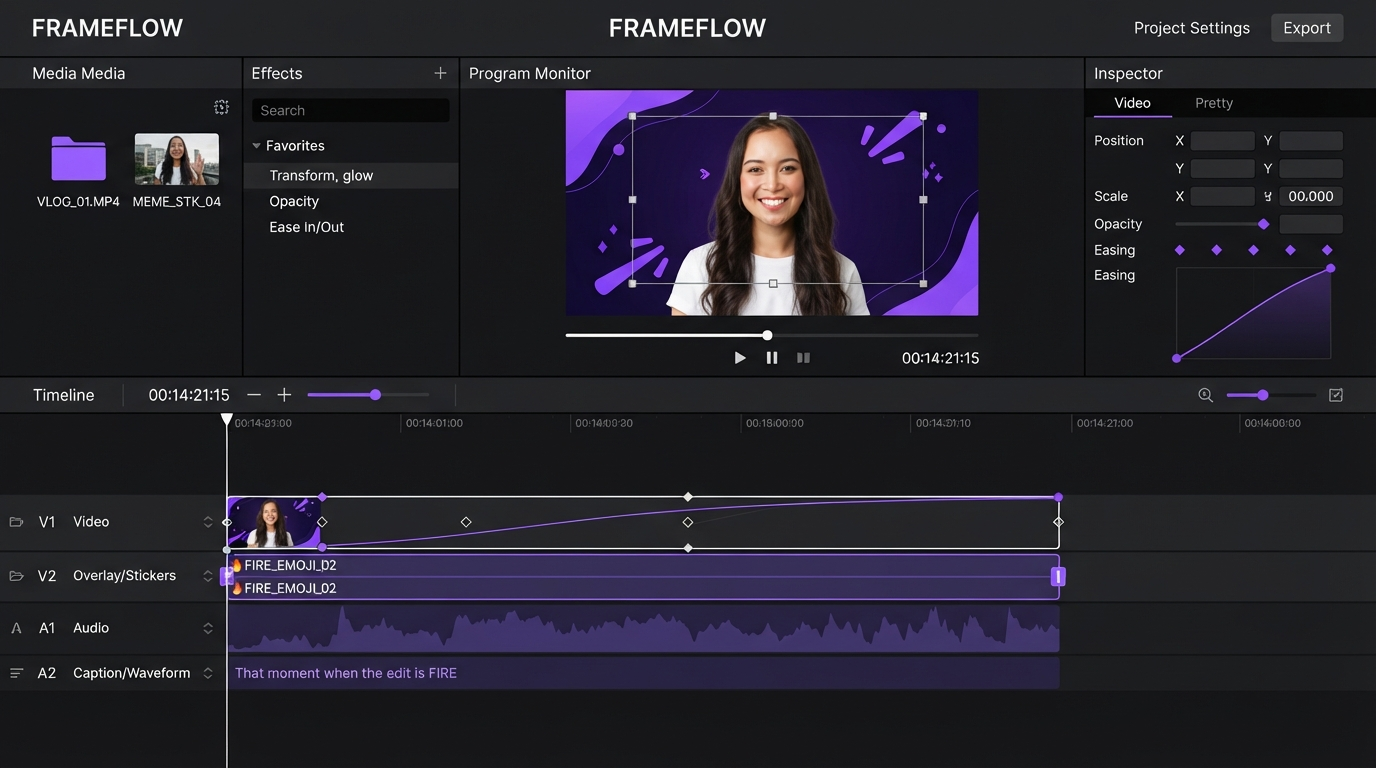
First, source. Stills come from a shoot, a screenshot pass, a stock library, or a generator. Second, prep. This is the API layer: crop, cut out, normalize, convert, name. Third, assemble. The prepped set goes into the editor as layers, gets keyframes, easing, and timing. Fourth, render and deliver.
Stage one and stage two blur together when the source images are themselves generated and then corrected before delivery. If you are producing concept frames, ad variants, or product placements from prompts, running them through an AI image editing suite before export means the stills arrive already cropped, cleaned, and consistent, which removes the usual round trip between the generator and a raster editor.
Stage three is where the API stops being useful and craft takes over. An endpoint can hand you a perfect cutout. It cannot decide that the product should ease in over eleven frames with a slight overshoot, or that the caption should land two frames after the beat. Agents can set keyframes for you, but the art direction is still yours, and the output should be an editable timeline rather than a baked file you cannot revise.
A practical detail: name the returned files so their sort order matches their layer order. 01-product-cutout.png, 02-badge.png, 03-bg-plate.png. Import the folder and the stack builds itself.
What to check before you commit to an API
- Alpha channel support. If the service flattens transparency on output, background removal is worthless for compositing. Test it with a real PNG before you build around it.
- Deterministic crops. Run the same image through twice and compare byte for byte. Non deterministic output means your batches will drift.
- Rate limits and concurrency. A campaign batch of five hundred images will hit a limit you did not read about. Check the ceiling and whether it is per second or per month.
- Pricing model. Per transformation, per stored asset, and per bandwidth are three very different bills. A CDN style service that charges for delivery gets expensive when you are pulling originals into an editor rather than serving them to browsers.
- Retention. Some services delete derived files after a window. If your edit references a URL rather than a downloaded file, that is a broken project waiting to happen. Keep local copies of anything that ends up on a track.
- Color handling. Check that the API preserves the color profile. A batch that drifts off sRGB will not match your footage.
Frequently asked questions
Is an image editing API the same as an image generation API?
No. A generation API creates an image from a prompt. An editing API modifies an image you already have. They are often used together, generation first and editing second, and a few platforms offer both behind one key. If you are choosing a generator for the first stage, the roundup of AI image generators covers the current options.
Do I need to be a developer to use one?
Not really. Most services expose URL based transforms that work by editing a query string, and many have no code automation connectors. Writing a loop in a script is faster once you pass a few dozen assets, but the first version can be a spreadsheet and a URL template.
Can an image editing API handle video too?
Some can extract frames or build animated files from a sequence, but they do not edit video. Timing, layers, transitions, captions, and easing belong in a video editor. Treat the API as the step that makes your stills importable, not as an editing tool.
How many aspect ratios should I request per asset?
Three covers almost everything: 16:9 for landscape and YouTube, 9:16 for stories, reels, and shorts, and 1:1 for feed posts. Request all three in the same batch even if you only need one today, because the second request always comes.
Will API cropping match what I would do manually?
Usually, with a caveat. Subject detection is good on clear single subjects and less reliable on busy frames or group shots. Spot check the batch, and set an explicit focal point for the images where automatic gravity guesses wrong.
The takeaway
An image editing API is a prep tool, not an editing tool. It handles the repetitive half of asset work: sizes, cutouts, formats, names. That leaves your time for the half that shows on screen, which is timing, motion, and art direction. Wire up smart crop and background removal first, run one real batch through them, and see how much of your afternoon comes back.
Founder of Motionbox and Gluely. Building tools for creators.