Video generation API: what it returns and how to build a pipeline around it
Video generation APIs return short, silent, unbranded clips. Here is the async job pattern they all share, the numbers that shape your architecture, and the timeline stage that turns those clips into a video you can ship.
A video generation API is the easy part. You POST a prompt, you poll a job, you get an MP4 back. The hard part starts about four seconds later, when you look at the clip and realize it has no captions, no brand colors, no logo, the wrong aspect ratio, and no second shot to cut to. Every team wiring generative video into production hits the same wall: the model gives you footage, not a finished video. This guide covers what these APIs actually return, the async job pattern all of them share, what they cost, and how to build the timeline stage that turns raw generations into something you can ship.
In short
- Pick a model API by shot length, resolution, and whether you need image-to-video conditioning, not by demo reel quality.
- Build around the async pattern: submit a job, store the job ID, handle the webhook or poll, then persist the file to your own storage before the provider URL expires.
- Budget per second of output, not per request, and cache aggressively because a re-roll costs the same as the first try.
- Treat every generation as raw footage. Send it to a timeline for trimming, captions, brand kit, and aspect ratio variants.
- Render the final cut from the timeline, and keep the project editable so a client note does not mean a new generation.
Quick answer:
- A video generation API is an asynchronous REST endpoint: you send a text prompt or a reference image plus settings for duration, resolution, and aspect ratio, and it returns a job ID that later resolves to a video file.
- Output is short. Most models return 4 to 12 seconds per call at 720p or 1080p, with no captions, no brand assets, and audio that is either absent or generated separately.
- The useful pipeline is two stages: generate clips through the API, then assemble, caption, brand, and render them on a real timeline.
What a video generation API actually returns
Read the response schema before you read the marketing page. Across Veo, Sora, Kling, Runway, Luma, and MiniMax the shape is close to identical: a status, a job ID, and eventually a signed URL pointing at an MP4.
What you get:
- One clip, typically 4 to 12 seconds. A few providers extend to 20 or 60 seconds, usually by chaining internally, which shows up as drift in the later half.
- A fixed resolution and aspect ratio chosen at request time. 16:9 and 9:16 are near universal, 1:1 is spotty.
- A signed URL with an expiry, often 24 hours. If you do not copy the file to your own bucket, you will lose it.
- Optionally an audio track. Some models now produce dialogue and effects, others return silent video and expect you to bring your own sound.
What you do not get: captions, lower thirds, logo placement, brand fonts, a second camera angle, character continuity across calls, or an editable project file. Those are timeline problems, and no prompt string solves them. If you are still deciding whether generation belongs in your stack at all, the tradeoffs between generating footage and editing it are worth reading before you write the integration.
The async job pattern every provider uses
Video generation takes 30 seconds to several minutes. No sane API blocks an HTTP connection that long, so the pattern is the same everywhere.
- Submit. POST the prompt, reference image, duration, resolution, aspect ratio, and a seed if the provider exposes one. You get back a job ID and a status of
queuedorprocessing. - Wait. Either register a webhook URL and let the provider call you, or poll the status endpoint. Poll on a backoff, not a one second loop, because rate limits count status calls.
- Fetch. On
completed, the payload carries a signed asset URL. Download it immediately and write it to your own storage keyed by job ID. - Handle failure. Content filters, malformed reference images, and capacity errors all surface as terminal statuses. Store the failure reason, because "it just failed" is unfixable at 2am.
Two details bite people. First, seeds are not a guarantee of reproducibility across model versions, so archive the output rather than assuming you can regenerate it. Second, when the provider ships a new model version behind the same endpoint name, your outputs change without a code change. Pin the version string if the API lets you.
Costs and limits that decide your architecture
Price by second of finished video, not by API call, because that is the number that scales with your product.
| Factor | Typical range | Why it matters |
|---|---|---|
| Cost per second | roughly $0.05 to $0.50 | A 30 second ad built from five clips can cost more than the media buy on a small test. |
| Clip length | 4 to 12 seconds | Anything longer is assembled, not generated. |
| Queue time | 30 seconds to 5 minutes | Kills any synchronous user-facing flow. |
| Concurrency | often 3 to 20 jobs | The real ceiling on batch production. |
| Retry cost | full price | Re-rolls are the largest hidden line item. |
The practical consequence is that you should never let a user trigger generations without a preview step. Storyboard first, approve the prompt, then spend. Teams that skip this pay two or three times per shipped clip.
Orchestration is its own layer once you are calling more than one model. A product ad might need an image model for the hero frame, a video model to animate it, and a voice model for the read, all chained with the output of one feeding the next. Building that as bespoke glue code gets brittle fast, which is why a node based canvas that chains model calls into a single reusable pipeline is a saner starting point, and you can learn more about how that orchestration layer works before you commit to writing it yourself.
What the API will not do, and where the timeline picks up
Here is the honest division of labor. The model API handles pixels. Everything that makes a video watchable is post.
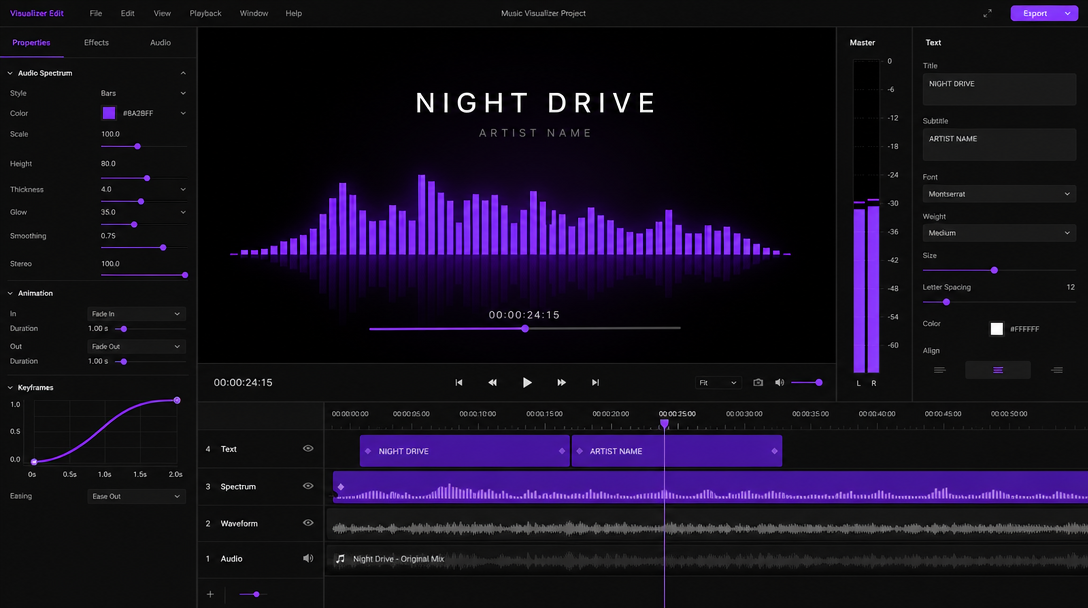
- Cutting. Generated clips are rarely usable end to end. The first 6 frames often stutter and the last 10 stall. Trim both ends and you get a cleaner beat.
- Captions. Most social video is watched muted. Burned-in captions are not optional, and adding subtitles to a video on a caption track is far more controllable than trying to prompt text into frame, which generative models still render badly.
- Brand. Logo, font, color, endcard. These live in a brand kit and get applied per project, not per generation.
- Aspect ratios. You need 9:16, 1:1, and 16:9 from the same source. Regenerating each ratio triples your bill. Reframing on a timeline costs nothing.
- Continuity. Two calls with the same prompt give you two different worlds. Continuity comes from image conditioning plus editorial choices, like cutting on motion so the mismatch reads as a cut rather than an error.
This is the case for an editable output rather than a baked file. Agents can set the keyframes, but you still art-direct, and a project that returns layers, tracks, and easing curves can be revised in a minute. A flattened MP4 can only be regenerated.
A pipeline that survives client notes
Wire it in this order and the second revision costs you almost nothing.
- Script and shotlist. Break the video into shots before any API call. Each shot gets a prompt, a duration, and a purpose.
- Generate in batch. Fire all shots at your concurrency limit, store every result with its prompt and seed, and keep failures visible.
- Ingest to a timeline. Drop clips onto tracks in shot order. Trim, set the beat, and add transitions. A product video built this way lets you swap one weak shot without touching the other nine.
- Layer the finish. Captions, brand kit, music, endcard.
- Version out. Export the ratio variants and, if the project is shared, keep the edit where the team can see it. Collaborative editing removes the round of file passing that usually eats a day.
- Archive. Keep prompts, seeds, and source clips with the project so a note like "make shot 3 slower" is a retime, not a re-spend.
The pattern generalizes. Generation is a sourcing step, the same way a stock library or a camera is a sourcing step. The timeline is where a video gets made. If you want the broader context on where the models are today and what they can genuinely carry, the AI video generation guide covers the model landscape in more depth.
Frequently asked questions
What is a video generation API?
It is a REST endpoint that turns a text prompt, an image, or an existing clip into a video file. You submit a job with your prompt and settings, the provider processes it asynchronously, and you retrieve an MP4 from a signed URL when the job completes.
How long can a single API generation be?
Most models return 4 to 12 seconds per call. Longer durations exist but are generally produced by chaining segments internally, which tends to introduce drift in subject and lighting. For anything over 15 seconds, generate multiple shots and cut them together on a timeline.
Can I get captions or subtitles from the API?
No. Video generation APIs return picture and sometimes audio, never a caption track. Run a transcription step for the words and burn them in on a caption layer where you control font, position, and timing.
Why do two calls with the same prompt look completely different?
Because the model samples from noise, and seed control is partial at best. Use image conditioning to anchor the subject, keep a reference frame per character or product, and accept that some continuity will come from editorial choices rather than the prompt.
Do I need to store the output myself?
Yes. Provider URLs are signed and expire, often within 24 hours. Copy the file to your own storage as soon as the job completes, and keep the prompt, seed, and model version alongside it.
The takeaway
Choose a video generation API on the boring specs: clip length, resolution, conditioning options, concurrency, and cost per second. Then plan for the fact that its output is footage, not a video. The clips it returns need trimming, captions, brand, and a ratio pass before anyone outside your team should see them. Build the timeline stage first and the model call becomes swappable, which is exactly what you want in a space where the best model changes every few months.
Founder of Motionbox and Gluely. Building tools for creators.