The LLM Video Editing Workflow That Actually Survives A Deadline
Language models cannot touch a frame. They can read a transcript and hand back a time coded cut list. Here is the workflow that turns that limit into a faster edit.
Most editors who hand a video to a language model hit the same wall. The model writes a good plan and then cannot touch a single frame. That is a workflow problem, not a model problem. An LLM is a text engine, so it only helps a real edit if you give it text to reason over and a structured artifact to hand back. Transcripts in, cut lists out. Set it up that way and the model starts doing the boring half of the job: finding the usable takes, drafting the caption pass, writing the b roll shot list, naming the beats where a motion graphic should land.
Here is the workflow that holds up in production, what the model should never be trusted with, and how the handoff into a real timeline works.
In short
- Convert footage to text first. Transcribe with word level timestamps so every sentence carries an in and out point.
- Give the model a job with a shape. Ask for a cut list, a caption file, or a shot list, not "edit my video."
- Keep the output time coded. Every line the model returns should map to a timestamp you can trust.
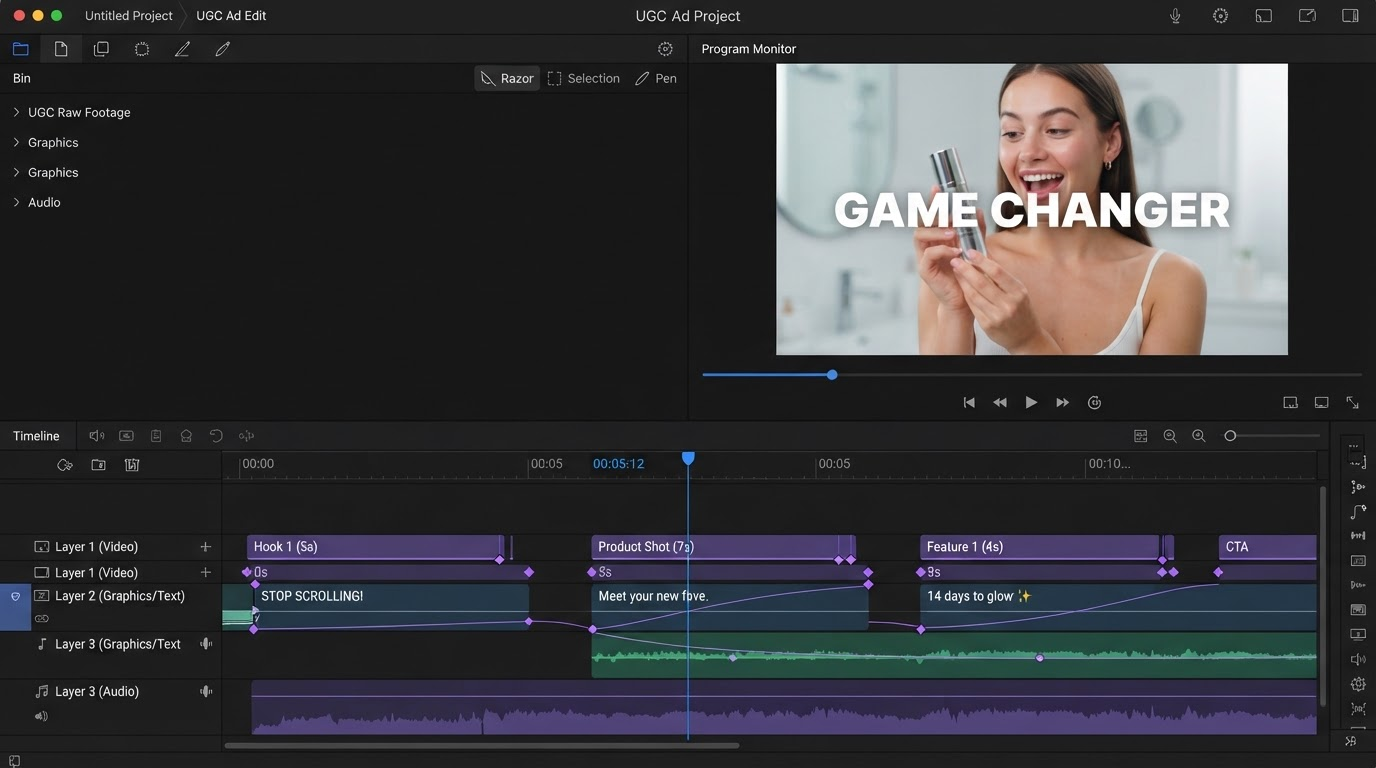
- Import the decisions, not the render. Push the cut list into a timeline where layers, keyframes, and easing stay editable.
- Art direct the last 20 percent by hand. Motion, pacing, and type are craft calls, not text calls.
Quick answer:
- An LLM video editing workflow means the model reads a timestamped transcript and returns time coded edit decisions, while the actual cutting, keyframing, and rendering happen in an editor.
- The reliable jobs are transcript cleanup, take selection, caption drafting, b roll shot lists, and chapter markers. The unreliable jobs are anything that depends on seeing motion.
- The handoff artifact matters more than the model you pick. A cut list with timestamps imports cleanly. A paragraph of advice does not.
Why text first is the whole trick
Video is expensive for a language model to look at and cheap for it to read. A ten minute talking head clip is roughly 1,500 words of transcript. That fits in any context window with room to spare, and every word can carry a start and end time. Frames do not work that way. Even multimodal models sample a handful of frames per second at best, which is enough to describe a scene and nowhere near enough to judge whether a cut lands on the beat.
So the first step is always transcription with word level timestamps, not sentence level. Word level is what lets you say "cut from 04:12.380 to 04:19.940" instead of "cut somewhere in that paragraph." Most speech to text services expose this. Once you have it, the transcript becomes the interface. The model edits the text, and the text edit becomes the video edit. If you are working with talking head footage, this is also the same source file that feeds your subtitle and caption pass, so you only pay for transcription once.
The five jobs an LLM does well
Give the model narrow, text shaped tasks and it performs. Here is the list that survives contact with a real deadline.
Rough cut by transcript. Paste the timestamped transcript and ask for the takes to keep, with reasons. Models are good at spotting the repeated attempt where the third version is cleaner than the first. Ask for output as a table of in point, out point, and a one line note.
Filler and dead air removal. "Return every span containing um, uh, false starts, or silence longer than 700 milliseconds" is a text query. The model returns spans. Your editor removes them. This alone can pull 15 percent off a raw take.
Caption drafting and line breaking. Raw transcripts break badly on screen. A model will reflow them into two line blocks under 42 characters, fix the punctuation, and keep the timings. That saves the tedious part of the caption pass, and you still control the type treatment when you drop them onto the captions template.
B roll shot lists. For each section of the script, ask what should be on screen while the voice continues. You get a list of concrete visuals tied to timestamps, which is exactly the brief you need before you go hunting for b roll clips.
Chapters, titles, and descriptions. Chapter markers, three title options, and a description are pure text tasks. There is no reason to write these by hand anymore.
The three jobs it does badly
Judging pacing. Whether a cut feels rushed is a motion judgment. The model cannot see motion, so it guesses. Any tool claiming an LLM paced your edit is describing a heuristic, not a perception.
Frame accurate trimming. Transcript timestamps drift by 100 to 300 milliseconds against the actual audio, and a hard cut inside a breath sounds wrong. Treat model timestamps as a starting point and nudge the last few frames yourself.
Anything about the visual frame. Composition, safe margins, where a lower third can sit without covering a face, whether the accent color reads on that background. These are art direction calls. The model has no reliable view of the frame.
Being honest about that split is what makes the workflow usable. You are not automating the edit. You are automating the reading, the sorting, and the drafting, then spending your attention on the 20 percent that people actually notice.
Where generated footage fits in the pipeline
The transcript workflow assumes you already have footage. Increasingly, part of the shot list has no footage behind it: a product beauty shot, an abstract transition, a UGC style testimonial variant you want three versions of. That gap is where generation slots in ahead of the edit. Build those shots in a visual AI workflow builder where a prompt, a reference image, and a model choice are wired together as reusable steps, so the second and third variant cost one click instead of one full session.
The key discipline is that generation is an asset step, not an edit step. Whatever comes out is a clip that lands on a track like any other. It gets trimmed, color matched, and keyframed the same way your camera footage does. Treating generated shots as finished video is the mistake that makes AI assisted edits look stitched together.
Making the handoff editable
Here is where most LLM editing setups fall apart. The model returns a plan, someone pipes it straight into a command line renderer, and out comes a finished file. If a single cut is wrong, you re run the whole chain. There is no timeline, no layers, and nothing to adjust.
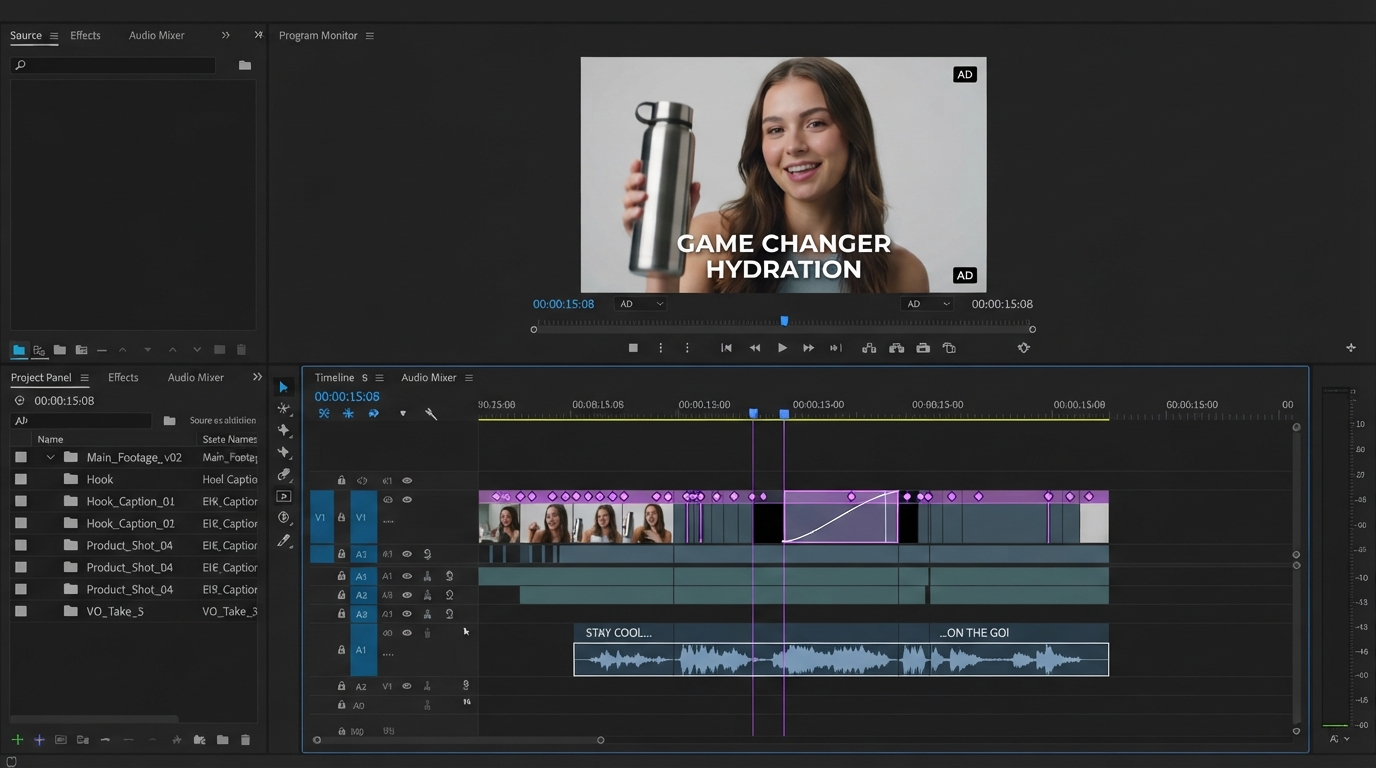
The better handoff keeps the decisions structured all the way into the editor. The cut list becomes clips on a track. The caption blocks become a text layer with real timings. The b roll notes become empty placeholders you fill. Everything stays as keyframes and easing curves you can drag, so a note from a client is a two minute change instead of a re render. Working in the browser also means the timeline is a link, so a reviewer can leave a comment on the exact frame through collaborative editing rather than emailing you a timestamp list.
A practical rule: if your workflow's final artifact is an MP4 and not a timeline, you have built a renderer, not an editor. Renderers are great for volume output like 40 ad variants. They are the wrong tool for anything a human will give notes on.
A workflow you can run this week
- Record or import the footage. Do nothing clever yet.
- Transcribe with word level timestamps.
- Feed the transcript to the model with a specific ask and a specific output shape. Cut list as a table, columns for start, end, and note.
- Import the cut list into your timeline. Review it as a rough cut, not a final.
- Run the caption pass on the trimmed audio, not the raw take, so timings match what shipped.
- Fill the b roll placeholders from the shot list, generating what you do not have.
- Art direct: pacing, type, motion, color. This is your part.
- Render and version. Keep the project editable for round two.
Steps 2, 3, and 5 are the ones the model touches. Everything else is craft. If you are still deciding which generation and editing tools to combine for step 6, the AI video generation guide covers the current model landscape in more detail.
Frequently asked questions
Can ChatGPT or Claude edit a video file directly?
No. Neither can open, cut, or render a video file. They reason over text you provide, such as a transcript, and return text such as a cut list. The cutting happens in an editor or a script that consumes that list.
What is the difference between an LLM video editing workflow and an AI video generator?
A generator makes new footage from a prompt. An LLM workflow reorganizes footage you already have by reasoning over its transcript. Most real projects use both: generate the shots you cannot film, then use the transcript workflow to assemble everything.
How accurate are the timestamps a model returns?
They inherit the accuracy of your transcription, usually within 100 to 300 milliseconds. Good enough for a rough cut and for chapter markers. Not good enough for a hard cut inside a breath, so plan on nudging edit points by hand.
Do I need to write code to run this workflow?
Not anymore. The parts that used to need scripts, transcription, caption formatting, and importing timed decisions onto a track, are now features inside browser editors. Code is only worth it if you are running the same edit across hundreds of files.
What should never be handed to the model?
Anything you would describe by pointing at the screen. Pacing, framing, type treatment, where a graphic sits, whether a transition feels right. Those stay with you.
The short version
The workflow that works is narrow on purpose. Text goes to the model, timing and motion stay with the editor, and the handoff is a structured cut list rather than a finished file. Your next decision is which part of your current edit is text shaped, because that is the part to hand over first. Start with the transcript, or start by adding a text and title pass to a cut you already have.
Founder of Motionbox and Gluely. Building tools for creators.