Video API for coding agents: what to look for before you wire one up
Coding agents can cut a rough edit in one call. Whether you can revise it depends entirely on what the video API hands back.
Coding agents can already cut a rough edit. Ask Claude Code or Codex to trim the dead air out of a 20 minute screen recording and it will happily shell out to ffmpeg and hand you an MP4. The problem shows up on the second pass. You want the caption font changed, one B roll shot moved two seconds later, and the outro rebuilt for a vertical crop. If the agent only ever returned a flat file, every one of those notes means a full re render and a fresh round of guessing.
That is the real question behind picking a video API for a coding agent. Not which endpoint renders fastest, but what the agent gets back: a baked file, or a structure you can still open, inspect, and art direct. This guide covers what to look for, how to wire the calls together, and where a human editor should take over.
In short
- Pick an API that returns structure (an edit decision list, layers, or a scene spec), not just a finished MP4.
- Give the agent word level transcript timestamps so cuts land on speech boundaries instead of arbitrary seconds.
- Let the agent draft the timeline, then review it in an editor before any final render.
- Render one preview at low resolution, check it, and only then push the full quality export and its aspect ratio variants.
- Keep captions, brand assets, and title cards as editable layers so revisions cost a keyframe move, not a new job.
Quick answer:
- A video API for coding agents is a programmatic endpoint an agent can call to cut, caption, animate, or render video without a human touching a timeline first.
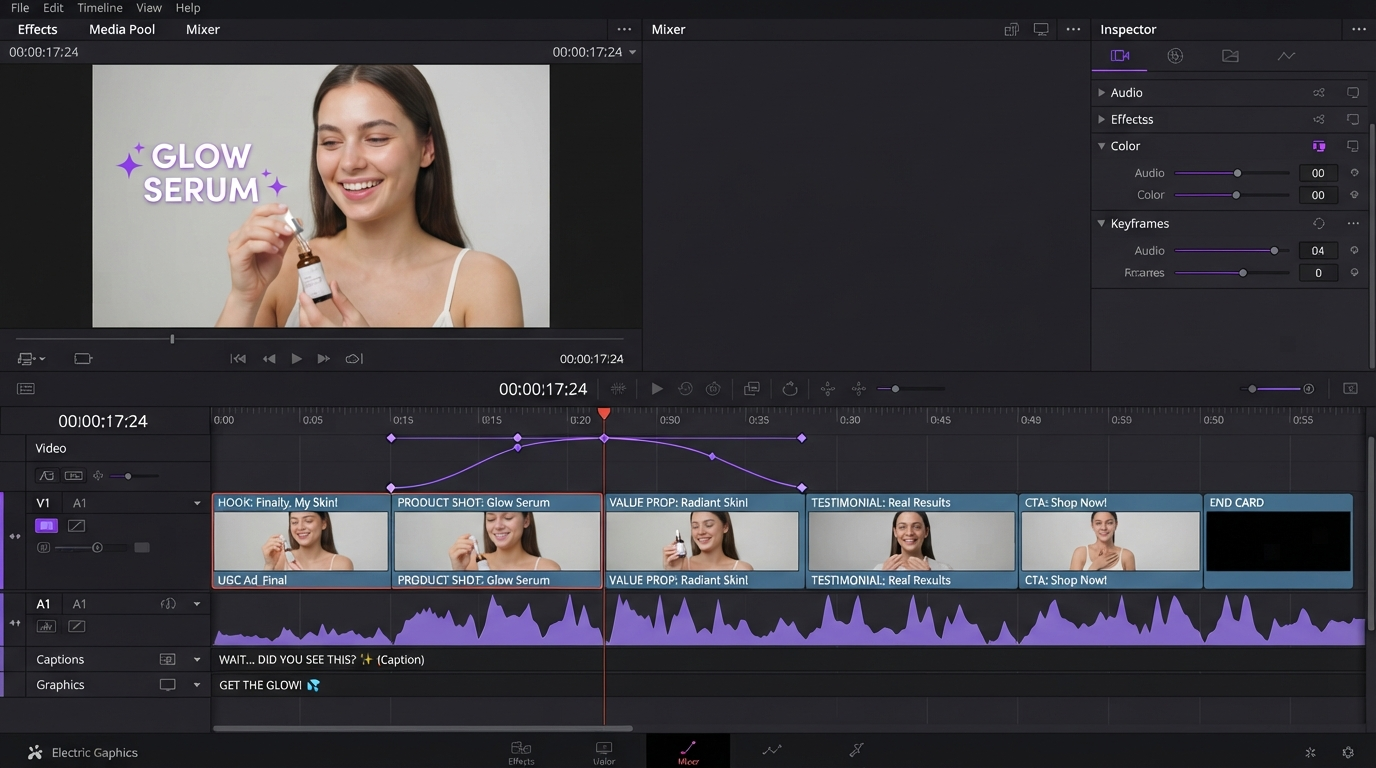
- The useful ones return editable structure (an edit decision list, a JSON scene spec, or layers and tracks) so revision notes do not force a full rebuild.
- Agents are good at the mechanical pass (silence removal, transcription, caption timing, batch crops) and weak at pacing and taste, so plan for a human review step on the timeline.
What a video API for coding agents has to return
Most video APIs were built for a server, not for an agent. They take a request, they return a URL to a finished asset, and the internal state is thrown away. That works for thumbnail generation. It does not work for editing, because editing is iterative by definition.
Look for three things in the response payload. First, timing data: word level timestamps from transcription, not sentence level. Sentence timestamps make an agent cut mid breath. Second, an edit decision list, meaning an ordered set of source clips with in and out points, rather than a concatenated file. Third, layer identity, so the caption track, the logo, and the background music each stay addressable after the render. If you can point at an element and change one property, the second revision is cheap. If you cannot, it is a new render every time. That is the same practical argument behind keeping work on a real timeline, laid out in the After Effects alternative comparison.
Open source projects have converged on this shape. Browser Use published video-use, which drives Claude Code through an edit by transcribing with word level timestamps, condensing the whole audio bed into roughly 12KB of markdown, and producing an edit decision list that the render step consumes. The insight is that the agent should read text about the video, not the video itself. Feeding raw frames to a model burns an enormous number of tokens and still produces worse cut decisions than a good transcript does.
The five calls in a working agent edit
A pipeline that survives real client notes tends to break into the same five steps. Keep them as separate calls so the agent can rerun one without redoing the rest.
- Ingest and probe. Get duration, resolution, frame rate, and audio channels. Agents guess wrong about frame rate more than anything else, and a 29.97 versus 30 mismatch shows up as drifting captions ten minutes in.
- Transcribe. Word level timestamps, speaker labels, and non speech events (laughs, long pauses, filler words). This file is the map of the footage.
- Plan the cut. The agent writes the edit decision list: which segments survive, in what order, with what handles. No pixels have moved yet, so this step is cheap to redo.
- Compose. Captions, lower thirds, B roll inserts, transitions, and audio fades go on as layers over the cut. Thirty millisecond audio fades at every cut point are worth hardcoding, because hard cuts on speech click.
- Render. Preview first at a small size, then the deliverables. Batch the aspect ratios here rather than editing three separate projects.
Only step five is expensive. Structuring the pipeline this way means a note like "lose the second example" reruns steps three through five and leaves the transcript alone. Cutting the segment itself is the easy part once the plan exists, and splitting or reordering clips on a real timeline is faster to verify than reading a diff of an edit plan.
This walkthrough shows the five calls in practice. Claude Code reads a public workflow API, wires up a product photo ad workflow, and runs the batch overnight.
Where generation ends and editing begins
A lot of agent video work is really two systems bolted together. One generates raw material: product shots, UGC style talking head clips, background plates, voiceover, B roll that does not exist in your footage. The other assembles that material into something with pacing. Trying to make a single endpoint do both is where most of these pipelines get brittle.
It is cleaner to treat generation as an upstream step with its own tooling. An AI workflow automation platform can sit in front of the edit, fan a prompt out into several clip variations, and hand back finished assets your agent then places on a timeline. The generation side gets to iterate on prompts and models, the edit side gets stable input files, and neither one has to know much about the other.
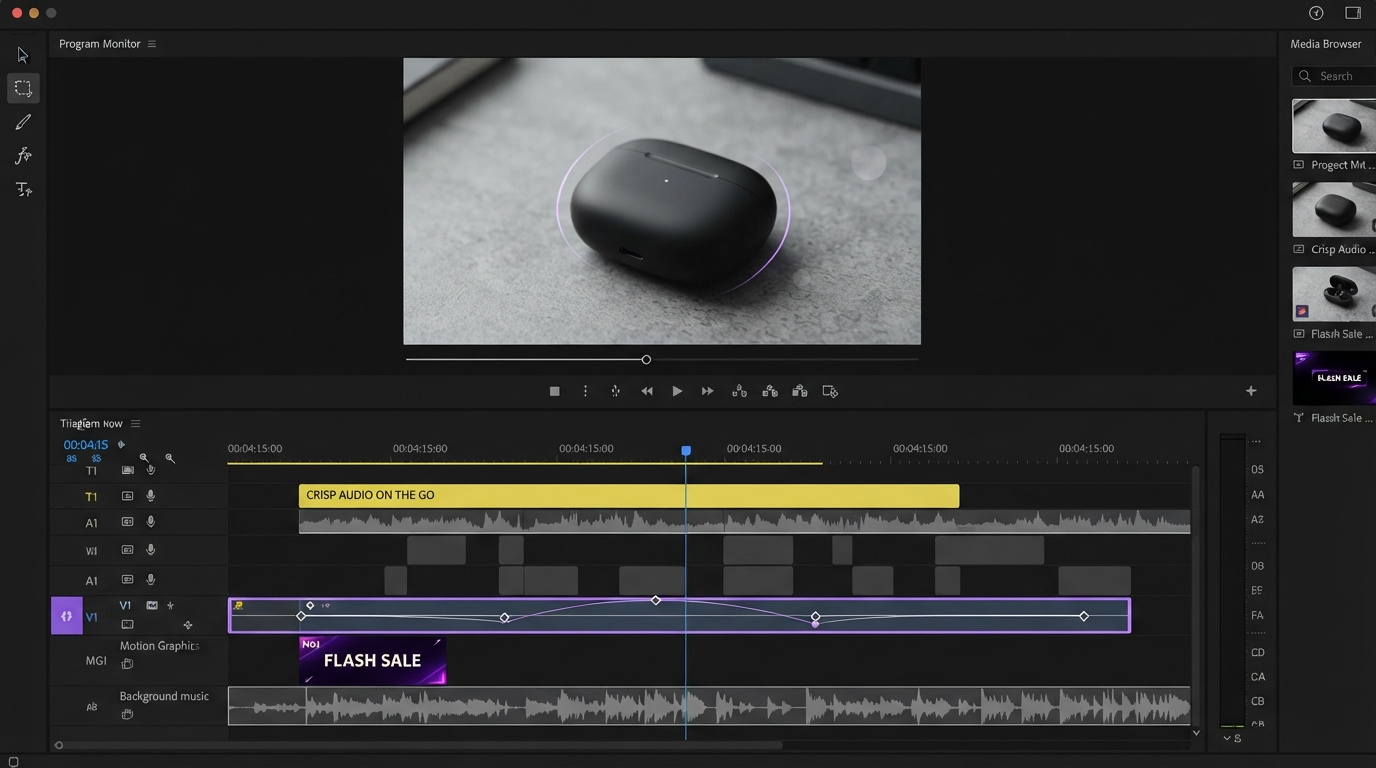
Once the assets land, the assembly work is ordinary motion graphics work. Pulling in B roll clips over a talking head, timing them to a beat in the voiceover, and easing the cut in and out is something an agent can rough in and a person should sign off on.
Captions, keyframes, and what agents still get wrong
Captions are the strongest case for agent automation and also the place sloppy pipelines show. Word level timing is solved. Reading rate is not. An agent will happily put eleven words on screen for 900 milliseconds because that is what the timestamps say. A human sets a floor of roughly one second per caption card and caps line length near 40 characters, then lets the timing stretch.
Two more things agents consistently miss. They do not know your brand kit, so caption styling comes back as default white sans on a black box unless you feed the font, weight, stroke, and safe margins as explicit parameters. And they flatten easing. Every animated element arrives linear, which reads as cheap. Fixing that is a keyframe curve adjustment, not a new prompt, which is another argument for keeping the output editable. If you ship in more than one language, running the pass through a subtitle translator after the timing is locked avoids retiming every version.
Keeping cost and review time under control
Render minutes are the line item that surprises people. Hosted video APIs price on rendered minutes, so an agent stuck in a fix and re render loop can spend a real budget on frames nobody watched. Three habits help.
- Preview at 480p. Cut decisions, caption timing, and layer order are all verifiable at low resolution. Save full quality for the approved version.
- Cap the self correction loop. Agents that grade their own output should stop after two or three passes and escalate to a person. Past that they tend to oscillate.
- Version the edit plan, not the exports. Diffing two JSON edit plans tells you what changed in a second. Diffing two MP4s tells you nothing.
The review step is also easier when it is shared. Notes left on a timestamp in a collaborative video editing session map straight back to segments in the edit plan, so the next agent run gets specific instructions instead of "make it punchier".
Frequently asked questions
Do I need an API at all, or can the agent just use ffmpeg?
For trimming, concatenating, and format conversion, ffmpeg on the machine is fine and free. You want an API once you need transcription, hosted rendering of complex compositions, or animation that would take hundreds of lines of filter graph. Many teams run both: ffmpeg locally for mechanical operations, a hosted call for the parts that need models.
What does an agent need to produce captions that are actually usable?
Word level timestamps, a maximum characters per line value, a minimum display duration, and your brand font and colors as parameters. Without those four, the output is technically synced and visually wrong. Fixing the styling afterward on a subtitle track takes a minute, but only if the captions came back as a layer instead of burned into the pixels.
Can a coding agent handle vertical and horizontal versions of the same edit?
Yes, and this is one of the clearest wins. The cut is identical, only framing and safe areas change. Have the agent produce the master edit once, then batch the reframes. Text placement still needs a manual check, because a lower third that sits fine in 16:9 often collides with the interface overlays on a vertical social video.
How much of the edit should the agent decide on its own?
Give it the mechanical pass: silence removal, filler word cuts, transcription, caption timing, audio normalization, format variants. Keep pacing, shot selection, music choice, and anything involving tone as human decisions. Agents are reliable at rules and unreliable at feel, and video is mostly feel.
The short version
Pick the API by what it returns, not by how fast it renders. If the response is a structure you can still edit, the agent becomes a fast first pass and you stay in control of the result. If it is a flat file, every revision restarts the job. Wire the mechanical steps into the agent, keep the timeline open for the parts that need judgment, and the pipeline stays workable past the first draft.
Founder of Motionbox and Gluely. Building tools for creators.